The IOCT Masters Showcase Event at The Phoenix on Friday, 25th of July 2008 offered an opportunity to demonstrate the game and get feedback from players.
Feedback was extremely positive, with people staying to play the game for a while. Comments suggested that the game was interesting to play and once you had started playing you didn’t want to stop, and also suggested it would be better to play the game on a faster computer in order for the game to run slightly smoother. This is an issue I was already aware of and was just demonstrating the game on the laptop I have been using to code it on. Ideally, I would have demonstrated the game on a desktop computer, however, I did not have access to one during the event.
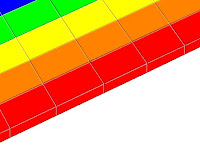
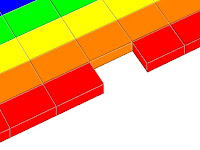
Other comments suggested that people liked the design of the bricks in the different levels, as I had created posters to show print screens of the different levels. People were keen to play the game and interested in how the object detection worked, asking about how the movement of the AIBO ball (used as I only had a limited space in which to demonstrate my work) controlled the paddle on the screen.
Showing posts with label players. Show all posts
Showing posts with label players. Show all posts
Wednesday, 30 July 2008
Startup screen
The startup screen is the first screen that the player sees. I wanted to create a bright, appealing image for the startup screen that also reflected the game. I tried some designs using Microsoft Paintbrush, as I wanted the graphics for this screen to be in keeping with the graphics in the rest of the game.
Designs from Microsoft Paintbrush:
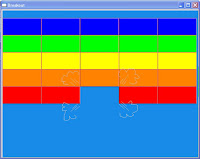
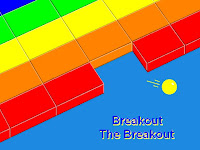
Having chosen a design I liked, I developed this and took the file into Adobe Photoshop to add a lighting effect and the titles. The effect and titles add to the creative effect of the image.
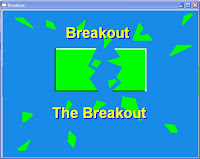
The final design for the startup screen: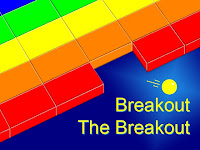
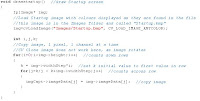
To use the image I have created as the startup screen I have used the “cvLoadImage” code to copy the image pixel by pixel, one colour channel at a time and load it to the screen.
Designs from Microsoft Paintbrush:


Having chosen a design I liked, I developed this and took the file into Adobe Photoshop to add a lighting effect and the titles. The effect and titles add to the creative effect of the image.
The final design for the startup screen:

To use the image I have created as the startup screen I have used the “cvLoadImage” code to copy the image pixel by pixel, one colour channel at a time and load it to the screen.

Thursday, 24 July 2008
Sort the high scores
As a player adds their name and score to the High Score Board the list of highest scores must be resorted into order. The highest score list should have the highest high score at the top and the lowest high score at the bottom.
In the code I have set three integer variables and three character strings, followed by a set of if and else statements to sort the order of the score board once a new high scorer’s name and score have been added to the list.

In the code I have set three integer variables and three character strings, followed by a set of if and else statements to sort the order of the score board once a new high scorer’s name and score have been added to the list.

Gym ball
 I now have the gym ball, the main controller for the game. During code development I have been using an AIBO ball, as it is very similar in terms of hue and saturation. The AIBO ball has been extremely useful, not only because of it’s colour related properties, but also because of it’s size. The AIBO ball is far smaller than the gym ball and is therefore easier to use when sitting at the computer working on the code.
The larger gym ball will be used for the game, as planned, as I believe it offers the player a more interesting gaming experience than playing with the AIBO ball. Playing with the larger ball requires the player to stand further from the screen on which the game is displayed and in turn offers the opportunity to include more players at one time as the ball can be moved anywhere within the cameras viewing range.
Subscribe to:
Posts (Atom)
